

Introduction
Hello Friends, In this blog post(How to Build a Calculator Using Python), I am going to let you know about an interesting beginner-friendly project that is to build a calculator using Python.
It would be amazing to try such a project, and doing so will help you learn the fundamentals of Python programming.
You will learn about the variables, user input, operators, and functions during programming this kind of basic and important beginner-friendly project to start.
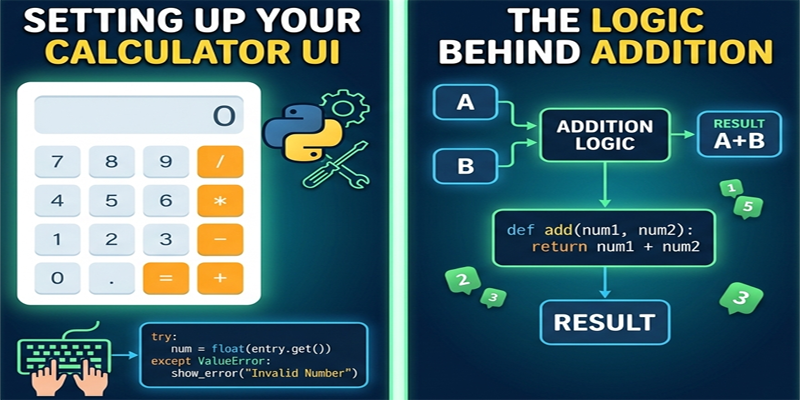
It seems very simple and basic to develop this calculator project.
But in reality, this is going to teach you such core logics that would be a strong foundation before building various real-world applications.
This type of simple project helps boost the beginner’s confidence, where they get something functional after writing a few lines of code.
So, now in this blog, we are going to teach you how to develop a simple calculator using Python step by step.
Why Build a Calculator in Python?
This one small calculator project uses multiple programming concepts together in one place.
That’s why this has become popular amongst beginners.
Skills You Learn
- Taking user input
- Using mathematical operators
- Working with functions
- Writing conditional statements
- Understanding program flow
This project is perfect for practicing basic Python fundamentals.
How to Build a Calculator Using Python Practically:
Step 1: Understanding the Calculator Logic
Before writing code, it is important to understand how a calculator works.
A calculator generally:
- Takes two numbers as input
- Asks the user to choose an operation
- Performs the calculation
- Displays the result
The four basic operations are:
- Addition
- Subtraction
- Multiplication
- Division
Step 2: Writing a Simple Calculator Program
Basic Calculator Code
num1 = float(input("Enter first number: "))
num2 = float(input("Enter second number: "))

operation = input("Enter operation (+, -, *, /): ")

if operation == "+":
    print("Result:", num1 + num2)

elif operation == "-":
    print("Result:", num1 - num2)

elif operation == "*":
    print("Result:", num1 * num2)

elif operation == "/":
    print("Result:", num1 / num2)

else:
    print("Invalid operation")
Step 3: Understanding the Code
Taking User Input
input()The input() The function allows users to enter data.
Example:
num1 = float(input("Enter first number: "))This converts user input into a decimal number using float().
Using Operators
Python provides mathematical operators such as:
+for addition-for subtraction*for multiplication/for division
These operators perform calculations inside the program.
Using Conditional Statements
The calculator uses if-elif-else conditions to determine which operation to perform.
Example:
if operation == "+":If the user enters "+"Python performs addition.
Step 4: Running the Calculator
When you run the program, the calculator asks for:
- First number
- Second number
- Operation symbol
Example
Enter first number: 10
Enter second number: 5
Enter operation (+, -, *, /): *
Output
Result: 50Improving the Calculator with Functions
Functions make the calculator cleaner and easier to manage.
Calculator Using Functions
def add(a, b):
    return a + b

def subtract(a, b):
    return a - b

def multiply(a, b):
    return a * b

def divide(a, b):
    return a / b

num1 = float(input("Enter first number: "))
num2 = float(input("Enter second number: "))

operation = input("Choose (+, -, *, /): ")

if operation == "+":
    print(add(num1, num2))

elif operation == "-":
    print(subtract(num1, num2))

elif operation == "*":
    print(multiply(num1, num2))

elif operation == "/":
    print(divide(num1, num2))

else:
    print("Invalid operation")
Why Functions Are Better
Functions provide several advantages:
- Cleaner code
- Better organization
- Easy debugging
- Code reusability
Professional applications rely heavily on functions.
Adding More Features
Once your basic calculator works, you can add advanced features.
Ideas for Improvement
- Percentage calculation
- Square root operation
- Power calculations
- GUI calculator using Tkinter
- Scientific calculator functions
Adding features helps improve coding skills.
Common Mistakes Beginners Make
1. Forgetting Type Conversion
User input is treated as text by default.
Incorrect:
num1 = input()Correct:
num1 = float(input())2. Division by Zero
This causes errors.
Example:
10 / 0Always handle division carefully.
3. Incorrect Indentation
Python relies on proper indentation for code blocks.
How Calculator Projects Help Beginners
Building a calculator teaches important programming concepts used in real applications.
Benefits
- Improves logical thinking
- Builds coding confidence
- Introduces real-world programming flow
- Strengthens Python fundamentals
Small projects are often the best learning tools.
Real-World Use of Calculator Logic
The logic used in calculator programs is also found in:
- Billing software
- Banking systems
- Financial applications
- Mobile apps
- Accounting software
This demonstrates how beginner projects connect to real-world software development.
Best Practices for Beginners
Write Clean Code
Use meaningful variable names and proper formatting.
Practice Regularly
Modify the calculator and experiment with new features.
Understand the Logic
Avoid copying code blindly. Focus on understanding how each line works.
What to Learn After This Project
After building a calculator, beginners can move on to:
- Loops
- Functions
- GUI applications
- File handling
- Object-oriented programming
These concepts help in building more advanced applications.
Conclusion
So, Friends, in this blog post(How to Build a Calculator Using Python), we have learned how to build a basic calculator program using Python. Despite being a simple and basic program, this project teaches us various important concepts of programming, which become a strong foundation for developing real-world projects or applications. As you get to learn practically about user input, operators, conditions, and functions in an interactive way.
Though this project is considered the simplest and most basic program in the Python language. Yet this program is capable enough to teach the real coding logic and programming fundamentals and prepare you for advanced future projects.
But this is the fact, whether it is simple or advanced programming practice, and consistency would be the only key to becoming a sound programmer. So first, start with a basic program, practice and experiment with it, and then gradually move towards the advanced one after you’ve enhanced your coding knowledge to that level.
If you have any queries, you can write to us at support@a5theory.com. We will get back to you ASAP.
Hope! You would have enjoyed this post(How to Build a Calculator Using Python).
Please feel free to give your important feedback in the comment section below.
Have a great time!